

 Digital Transformation
3 min read
QR Menu System: Why It's No Longer Optional for Your Hotel
Beyond just showing menus — what QR systems that actually take orders and generate data bring to hotels, and what to watch out for.
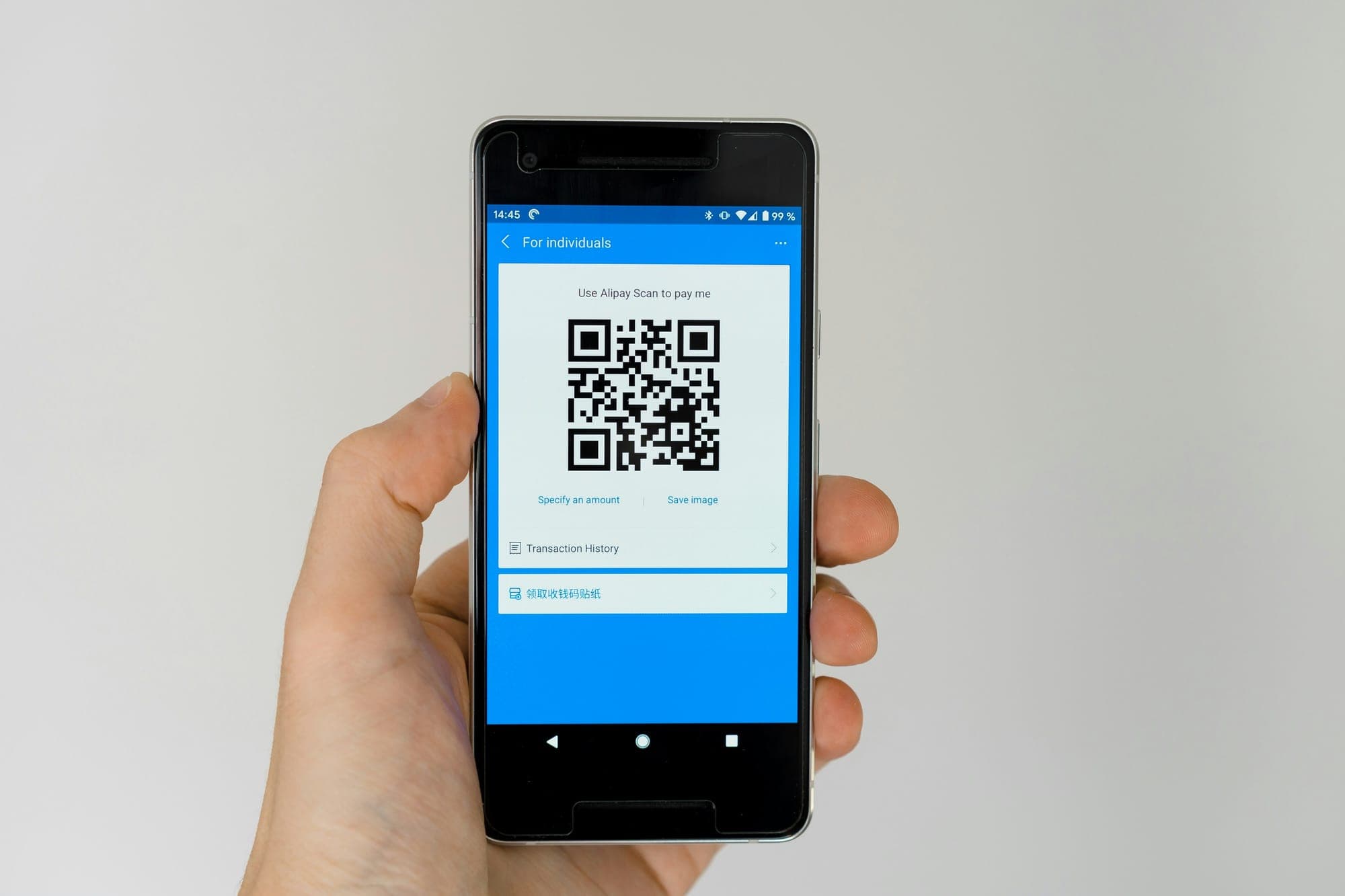
Guests scan the QR code on the table, in the room or by the sun lounger and order from the digital menu; the order lands on the right department's screen with the location it came from. QR ordering is where guests first meet the Sunflow hotel operations platform.
In many hotels a QR code only opens a PDF menu. Guests read it and then wait for a waiter anyway; the order is written on paper and carried to the kitchen by hand. That digitises the menu, not the order.
In a hotel QR ordering system the menu and the order live on the same screen. Guests choose a product, add it to the cart, write a note and send the order. It goes straight to the bar, kitchen or room service team, together with the location and the table or room it came from. The team moves it through Pending, Preparing and Completed, and guests follow the status on their phone.
No app download is needed. The portal opens in the browser and works in 5 languages: Turkish, English, German, French and Russian.
Guests see an estimated time and a tracking number as soon as they order, and can rate speed, taste, temperature and presentation after delivery. So a QR ordering system doesn't just take orders: it also measures how service went and shows which location needs attention.
Highlights
Three steps for the guest; one screen for the team.
The guest scans the QR code on the table, in the room or by the lounger with the phone camera; the portal opens in their language.
They pick products from the digital menu, check allergens, add a note and send the order with one tap.
The order reaches the department with its location; the team updates the status and the guest sees the estimated time and tracking number.
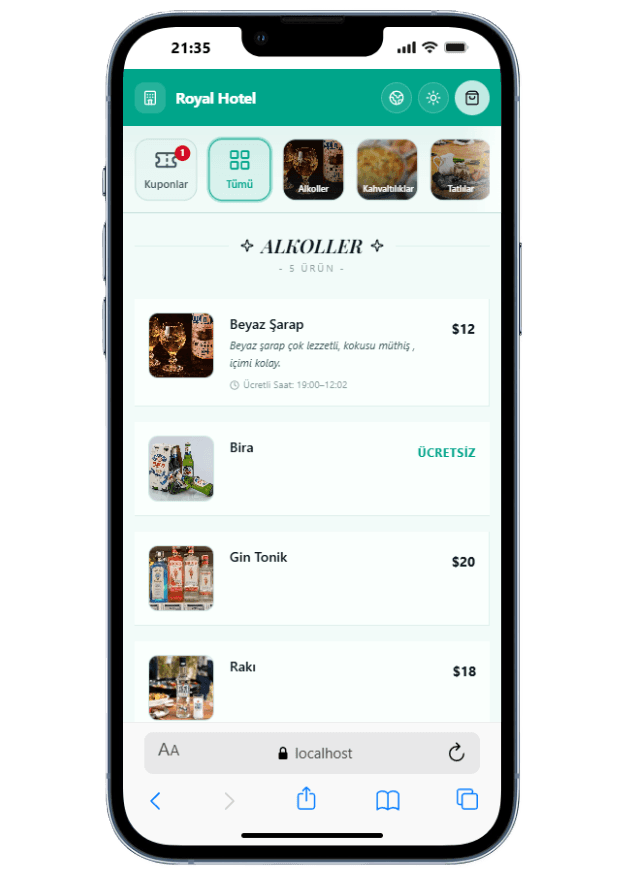
Real screenshots taken from the app.
Products are listed with photos, descriptions, allergens and calories.
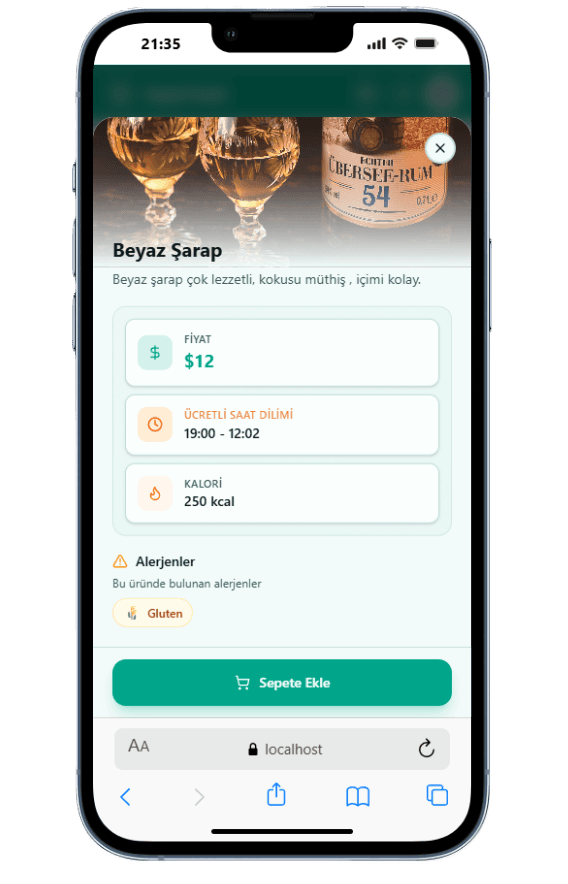
Guests check the contents and allergens before adding a product to the cart.
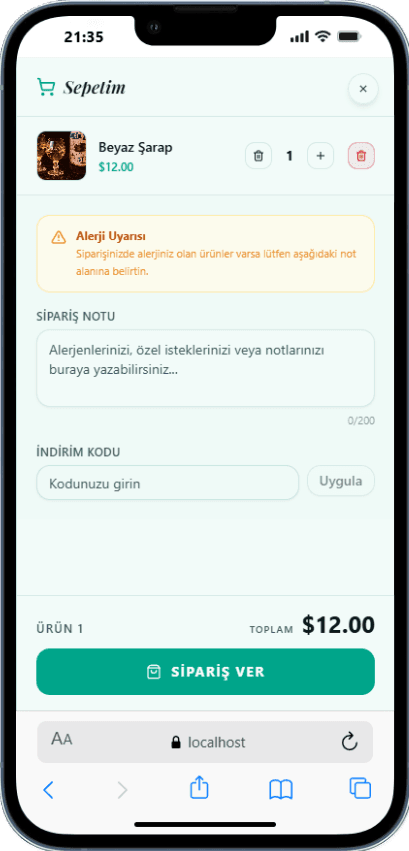
Order notes, discount codes and allergen warnings on one screen.
The menu, categories and QR codes are managed in the admin panel. Removing a product, updating a price or creating a QR code for a new location doesn't wait for a print run. Every order is recorded with the room or location it came from, so the reports show which spot gets busy and when.
As orders build up data, the AI side of the platform comes in: smart menu suggestions, menu profitability, segment analysis, season and demand forecasting, and lost revenue detection. Reports appear in the panel and also arrive by email daily, weekly and monthly. With PMS integration, guests are verified against their stay.
In Sunflow, QR ordering isn't a stand-alone menu app. The same portal handles room service, pool and beach ordering, à la carte reservations and guest reviews, so guests learn one address at the hotel and your team doesn't track a separate system for each service. Our team handles the setup, including the menu, QR codes, staff access and locations; after that you update the menu and QR codes yourself.
All of them run in the same guest portal and the same admin panel.
Guest services with one QR, hotel operations in one panel.
Trackable orders from verified guests, delivered to the room.
Location-based ordering and service in outdoor areas.
Bookings from the guest's phone for paid or included restaurants.
Orders from every outlet, department routing and F&B analytics.
Multi-criteria ratings after orders and à la carte dinners.
Orders, reviews and daily, weekly and monthly reports.
Digital Transformation3 min read
Beyond just showing menus — what QR systems that actually take orders and generate data bring to hotels, and what to watch out for.
 F&B Strategy
3 min read
From QR ordering to data analytics, menu psychology to staff optimization — strategies that actually increase F&B revenue.
Let's Talk
Every hotel is different. Let's discover together which modules suit you best.
Free · No commitment · Easy setup