Skip to content
Part of the Sunflow Hotel Operations Platform

Poolside and beach ordering system: order from the sun lounger

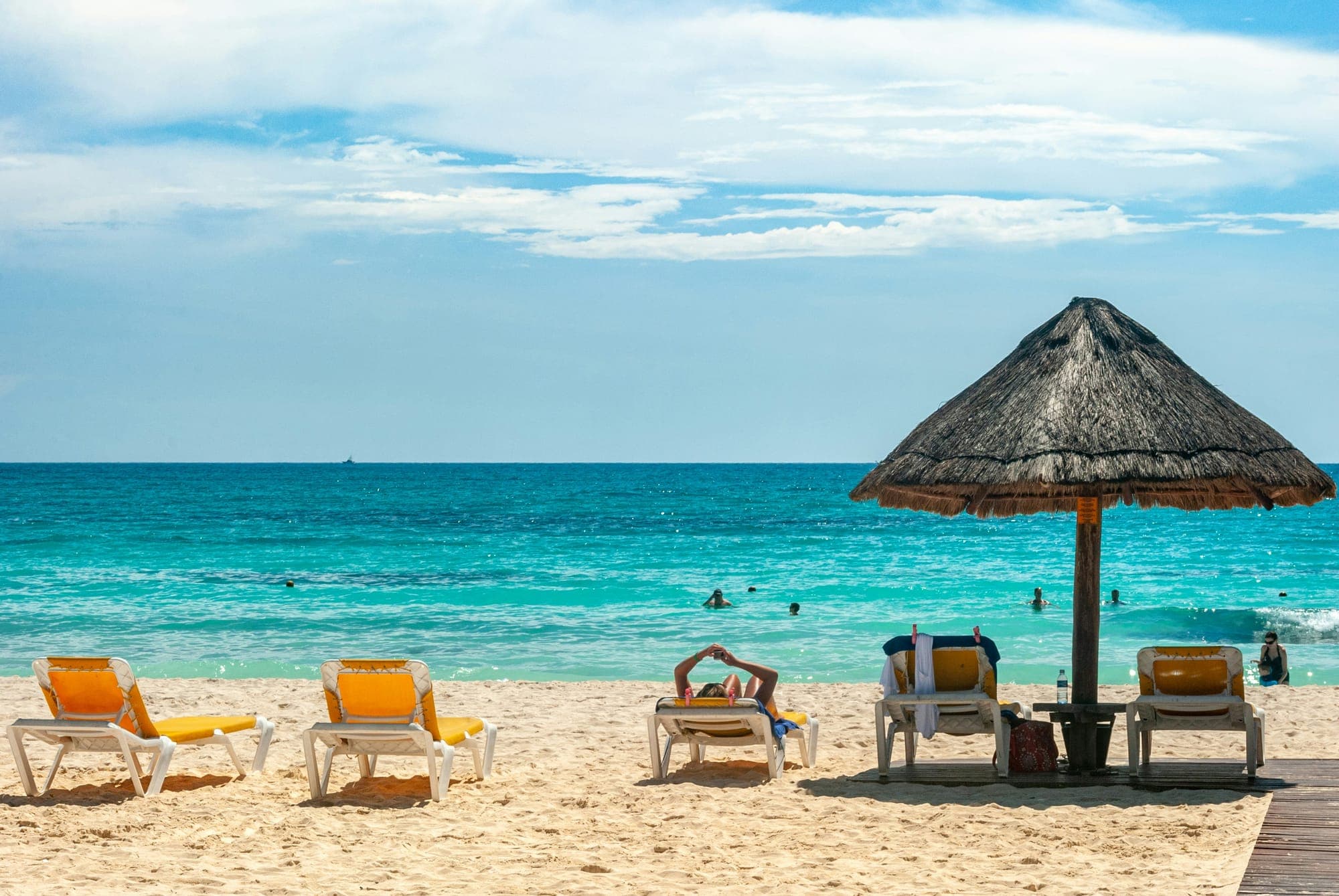
By the pool and on the beach, guests don't have to look around for a waiter. They scan the QR code where they are and place the order; it goes to that location's team and the service comes to the right spot.

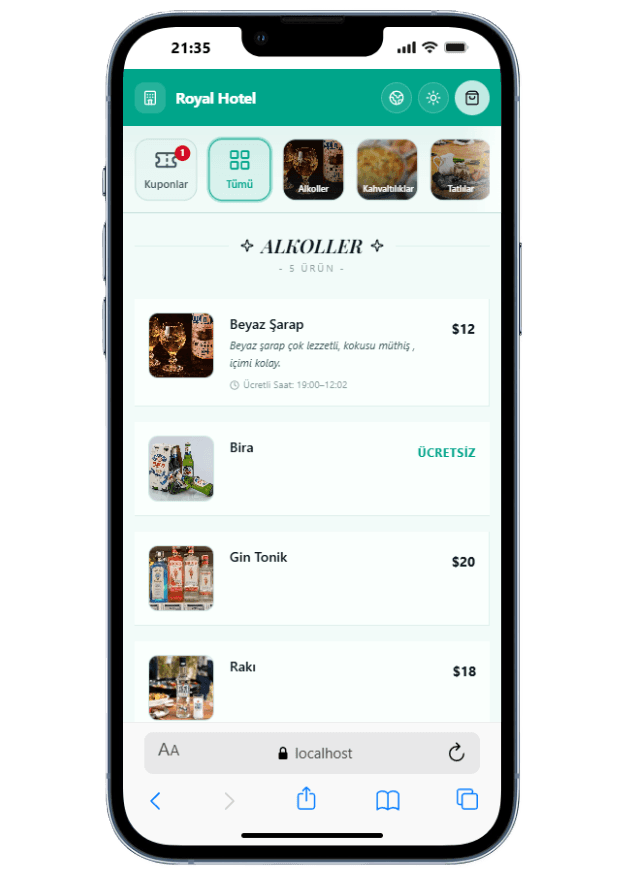
Sunflow digital menu opened at the poolside

Why outdoor service is hard

The pool and the beach are where ordering is most scattered in a hotel. Guests spread over a large area, waiters can't see everyone at once and orders pile up at the bar. Guests either queue or give up on ordering, which hurts both satisfaction and extra sales.

In Sunflow, the pool, the beach and the bar are set up as separate locations, each with its own QR codes. Guests open the menu where they are and place the order, which goes to that area's team with the location attached. Staff only see the orders of the location they are assigned to, so the pool team never mixes up beach orders.

Managers see the whole picture on one screen: restaurant, bar, pool, beach and room service orders flow live into the same panel. On a busy afternoon you see right away which area is waiting.

After ordering, guests see the estimated time and a tracking number, so they know the order is being prepared and stay where they are. Once served, they can rate speed, taste, temperature and presentation, and the panel shows which location each rating came from.


Highlights

  • Separate locations for the pool, beach and bar
  • QR codes for every area and table
  • Location-based staff permissions
  • Live order flow across all locations
How it works

Order from the lounger, served to the right spot

The guest stays put, the team doesn't have to search.

  1. 01

    Scan where you are

    The guest scans the QR code at the lounger, table or bar area; the portal opens in their language.

  2. 02

    Order from the menu

    They choose drinks and food; paid time slots and allergens are shown on the menu.

  3. 03

    The area team serves

    The order goes to that area's team with its location; the team prepares it and brings it to where the guest is.

Screens

Screens on the guest and team side

Real screenshots taken from the app.

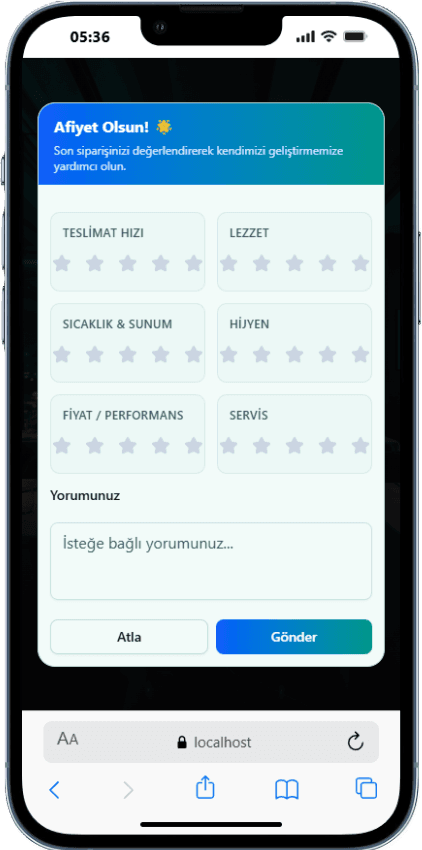
  • Rating after service

    Rating after service

    After being served, guests rate speed, taste, temperature and presentation.

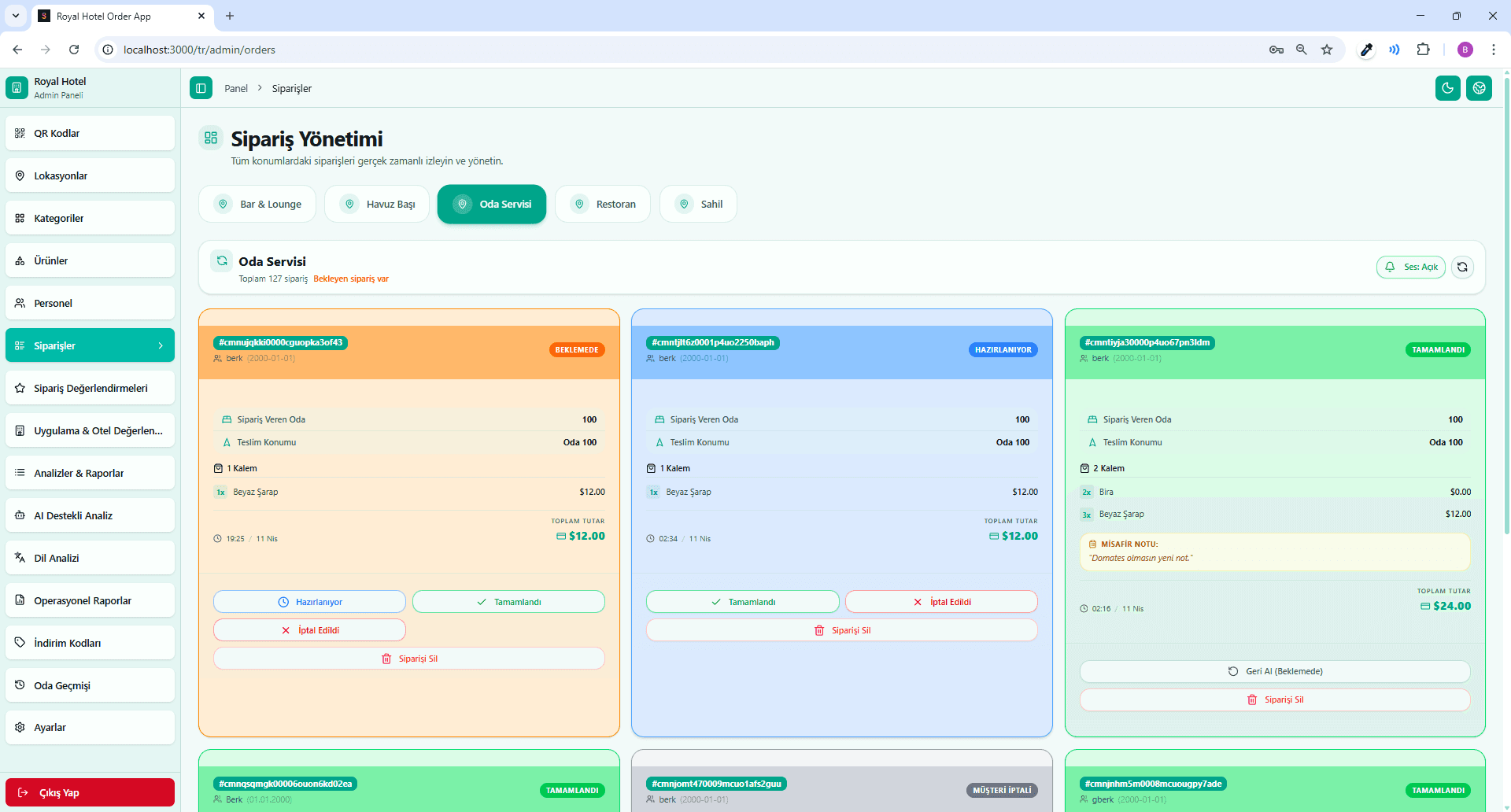
  • panel.sunflowapp.com
    All locations on one screen

    All locations on one screen

    Bar, pool, beach, restaurant and room service orders are followed live.

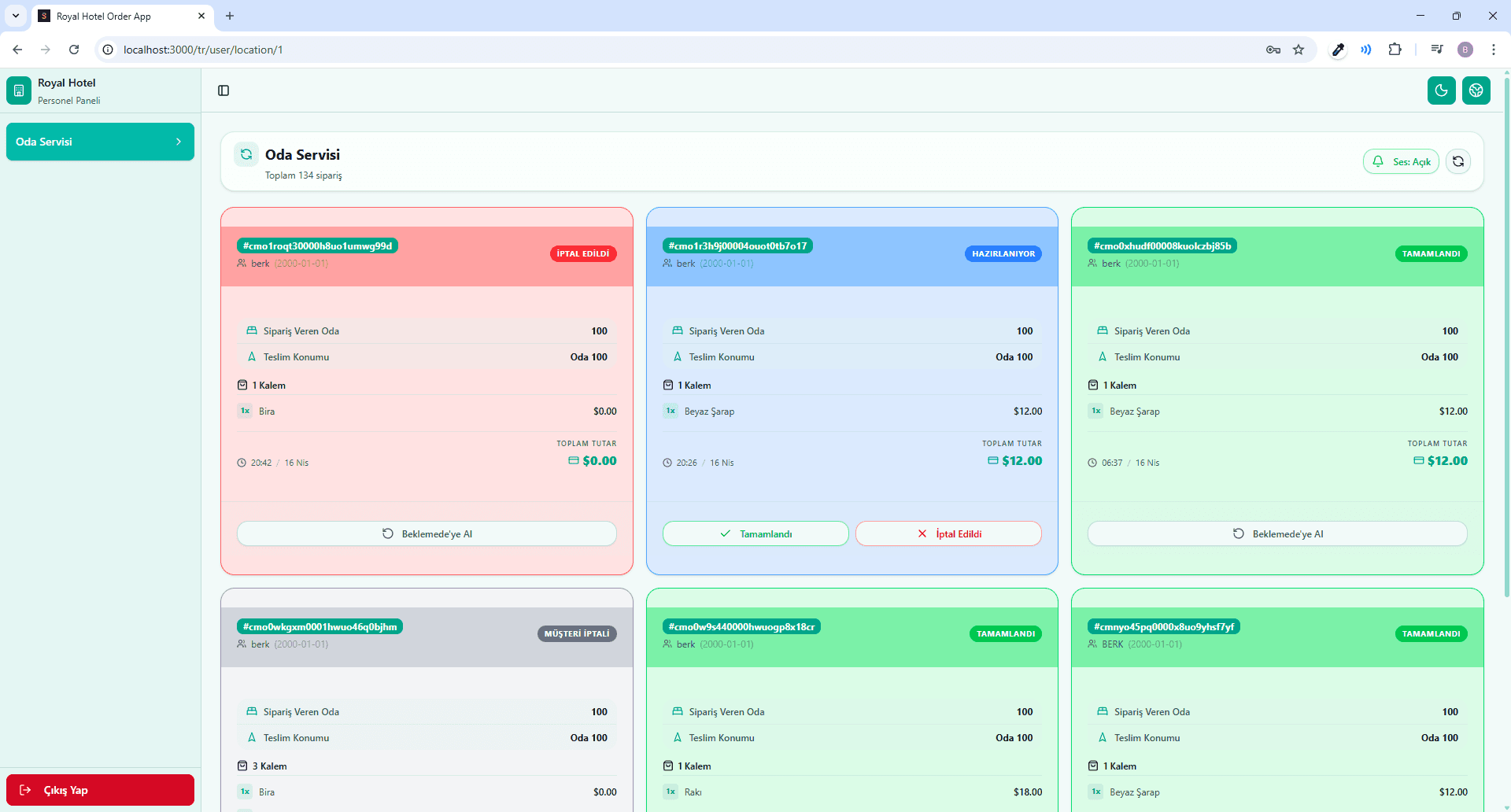
  • panel.sunflowapp.com
    Staff screen

    Staff screen

    The team sees its location's orders in Pending, Preparing and Completed columns.

Which area gets busy, and when?

Every order is saved with the location it came from, so the reports show how busy the pool, the beach and the bar get during the day. Season and demand forecasting helps you anticipate where demand will grow, and segment analysis shows which guest groups prefer which products. With that you can plan which area needs more staff at which time.

In all-inclusive hotels some poolside time slots may be paid. Because the menu shows paid time slots, guests see what is included before they order, and the team doesn't have to explain it after the order.

Poolside and beach ordering is part of the Sunflow hotel operations platform. The same portal handles room service, à la carte reservations and guest reviews, so guests learn one QR experience at the hotel and your team works in one panel. Our team handles the setup, including locations, QR codes, the menu and staff permissions.

Platform

Other parts of the platform

All of them run in the same guest portal and the same admin panel.

Blog

Related articles

FAQ

Frequently asked questions

Separate QR codes can be created for every area and table. Whichever QR code the guest scans, the order reaches the team with that location, and the service goes to the right spot.

No. The pool, the beach and the bar are separate locations, and staff only see the orders of the location they are assigned to. Managers follow all locations on one screen.

The menu shows paid time slot details, so guests see what is included before they order. Free items are ordered as usual and go to the same team.

Yes. The portal works in 5 languages: Turkish, English, German, French and Russian. Guests see the menu in their own language.

Yes. Orders are saved with their location; daily, weekly and monthly reports show how busy each area is and which products sell when.

Let's Talk

Let's schedule a demo call tailored to your hotel

Every hotel is different. Let's discover together which modules suit you best.

Free · No commitment · Easy setup