Skip to content
Part of the Sunflow Hotel Operations Platform

Guest feedback system: hear from guests while they are still at the hotel

Hotels often find out what a guest thought only after checkout, on a review site. Sunflow collects feedback right after the service, in the portal the guest already uses, and shows in the admin panel which room or location each review came from.

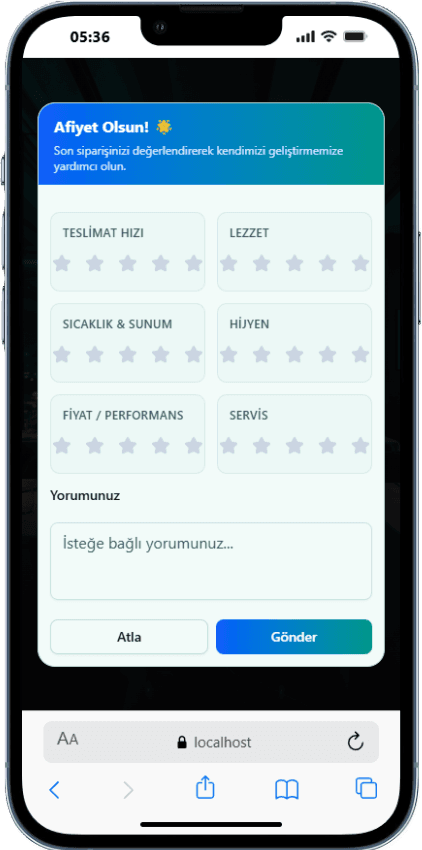
Sunflow rating screen on a guest's phone after an order is delivered

Why hotel guest reviews tend to arrive too late

Traditional surveys go out at the end of the stay. By then the guest is packing; they won't remember the details of a cold dish or a slow bar order from three days earlier. The answer is usually a single overall score that doesn't say where the problem happened. And by then there is nothing left to do for that guest; the feedback only becomes a note for next season.

In Sunflow, feedback is requested at the moment of the experience. Once an order is delivered, the guest rates it in the same portal; after an à la carte dinner, they rate the restaurant. It isn't a single star either: criteria such as speed, taste, temperature and presentation are scored separately. So an experience like “the food was good but it came late” shows up under its own criterion instead of vanishing into an average.

Guests can also review the hotel overall and the app itself. Because the portal works in 5 languages, guests write in their own language, with no app download and no separate link to look for.

Every review reaches the panel with the room or location it came from. A low score is in front of your team while the guest is still at the hotel, so they can look into it and reach out if needed.

Highlights

  • Ratings after orders and à la carte dinners
  • Criteria like speed, taste, temperature, presentation
  • Overall hotel and app reviews
  • Room or location on every review
How it works

From service to panel

A few taps for the guest; a review with a clear location for the team.

  1. 01

    The service is completed

    An order is delivered or an à la carte dinner ends. The guest sees the rating screen in the portal.

  2. 02

    The guest rates it

    They score each criterion and can add a short comment, in their own language and in a few taps.

  3. 03

    The team sees it in the panel

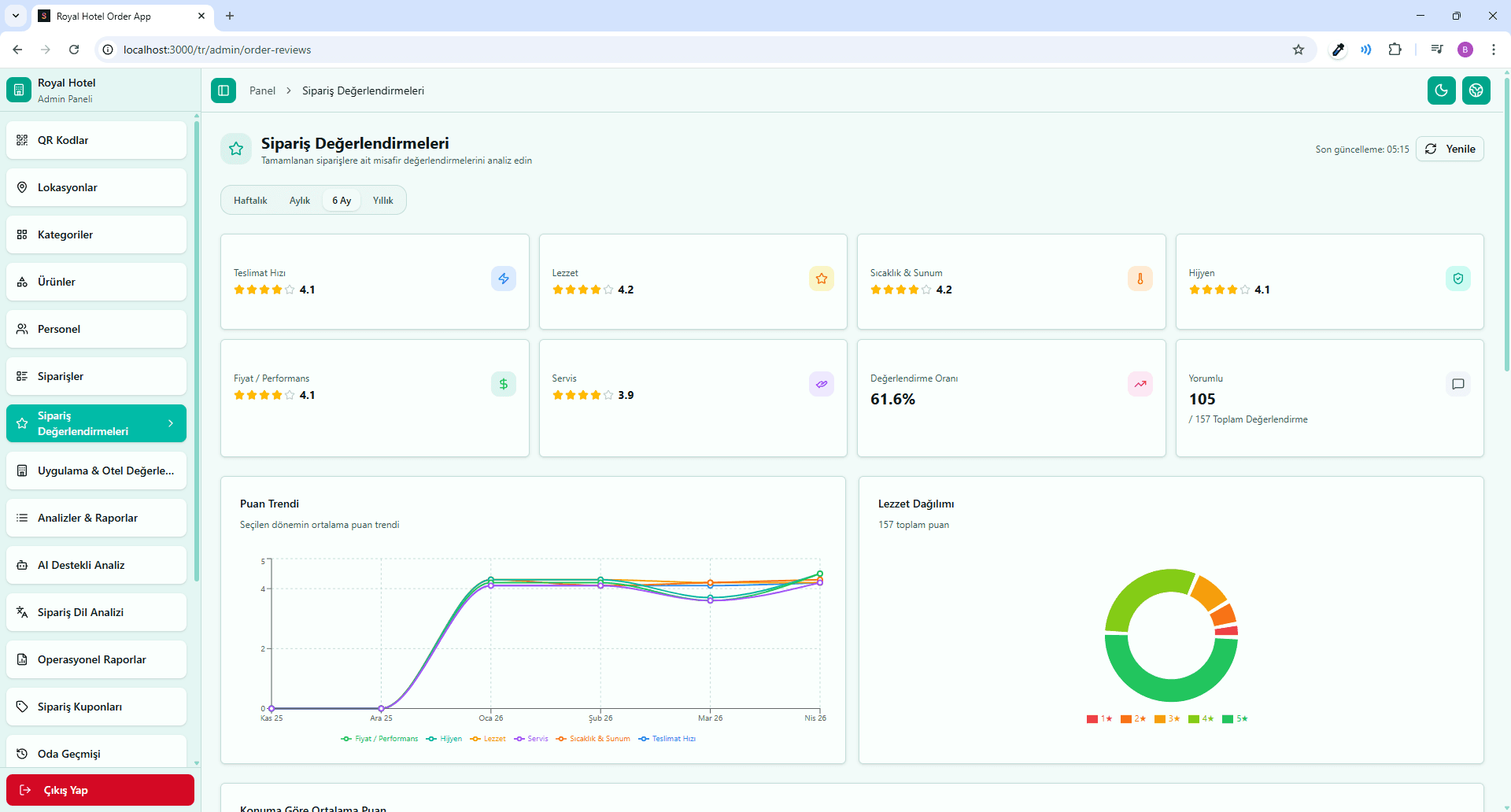
    The review lands in the admin panel with its room or location and feeds into the reports.

Screens

Review screens

Real screenshots taken from the app.

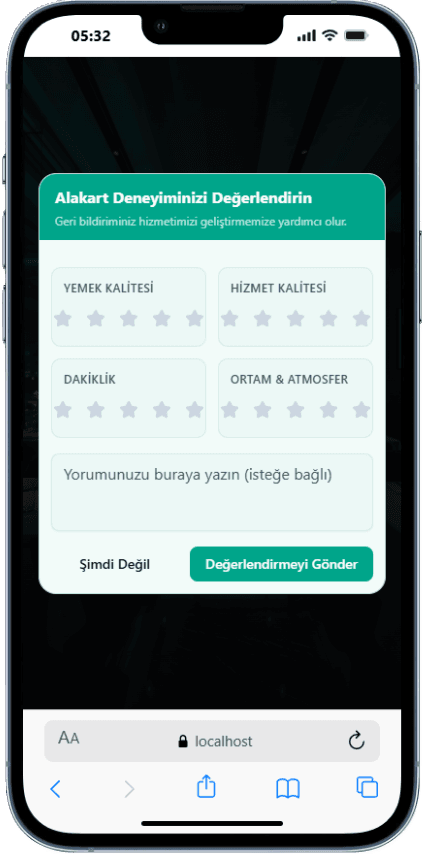
  • Rating after à la carte

    Rating after à la carte

    After dinner, the guest rates the restaurant experience on their phone.

  • panel.sunflowapp.com
    Order reviews

    Order reviews

    The admin panel lists each order's criteria scores, comment and the room or location it came from.

  • panel.sunflowapp.com
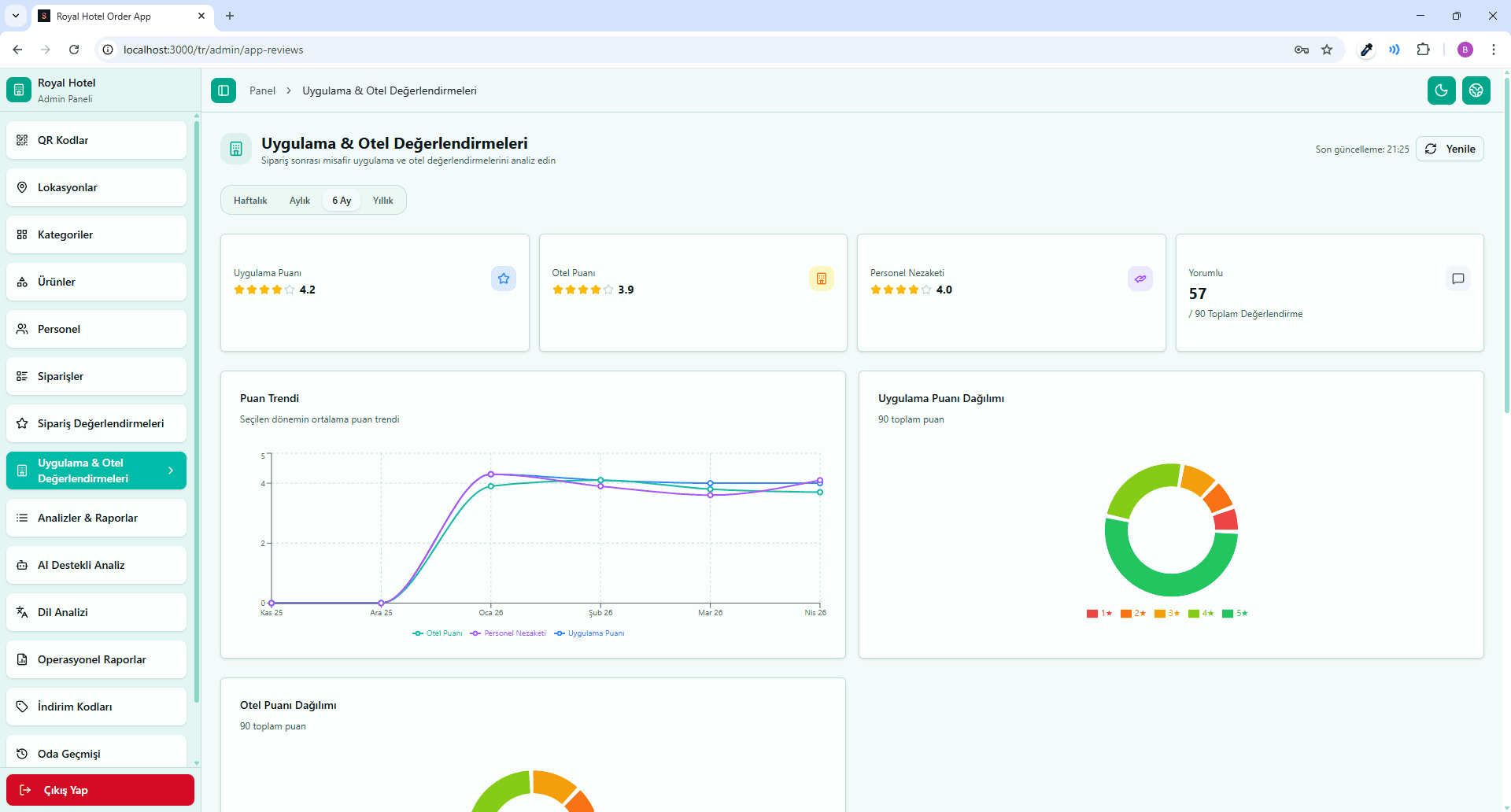
    Hotel reviews overview

    Hotel reviews overview

    Scores and comments about the hotel overall and the app, gathered on one screen.

From review to action: in the panel and in reports

A review is worth more when you know where it came from. The panel shows whether each rating came from a certain room, a bar or a restaurant. Low temperature scores that keep coming from the same location, or presentation scores that dip at a certain hour, would disappear in an overall average; here they are plain to see. Instead of guessing where to look, the team goes straight to the right spot and starts improving there.

Reviews are part of your reporting. Daily, weekly and monthly reports appear in the panel and reach managers by email, and the AI reports draw on this data too. Guest satisfaction sits in the same picture as sales, not in a separate file. You can follow which location struggles with which criterion over weeks and use that to support staff planning and menu decisions.

Review coverage is growing with the platform. Service-based reviews for the spa, housekeeping and complaint resolution, an end-of-stay review, and requests and complaints tracking are coming soon. Order, à la carte, overall hotel and app reviews are ready today; the Sunflow team handles setup, and because it is easy to use, your team doesn't have to learn another system.


Platform

Other parts of the platform

All of them run in the same guest portal and the same admin panel.

Blog

Related articles

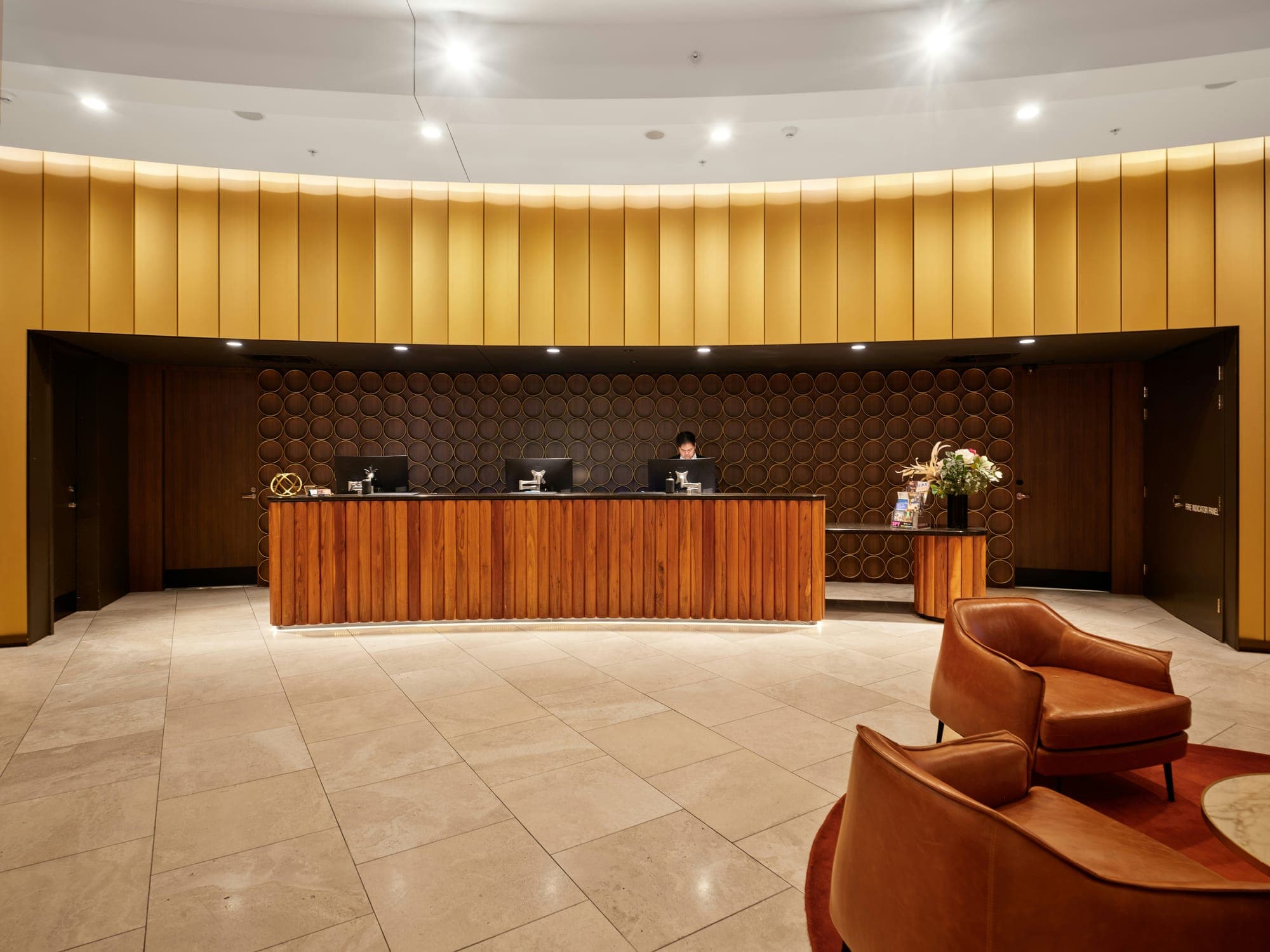
  • Lobby and reception of a modern city hotelPlatform & Technology

    6 min read

    How to Collect and Use Guest Feedback in Hotels

    Guests often share what they think only after checkout, when it is too late to fix anything. How to collect feedback during the stay, link it to the right place and turn it into action.

FAQ

Frequently asked questions

Right after the service. Guests can rate an order once it is delivered and a restaurant after their à la carte dinner. Reviews of the hotel overall and of the app are also available in the portal.

Order reviews use several criteria, for example speed, taste, temperature and presentation, each scored separately. Guests can also leave a written comment alongside the scores. À la carte restaurants are rated separately after the meal.

Yes. In the admin panel every review is listed with the room or location it came from, so you can see exactly where an issue happened. The same information appears in reports, so you can compare locations with each other.

The low-scoring review appears in the admin panel with its room or location and is reflected in your reports. Since the guest is often still at the hotel, your team can look into it and follow up with the guest.

Service-based reviews for the spa, housekeeping and complaint resolution, an end-of-stay review, and requests and complaints tracking are in development and coming soon. Order, à la carte, overall hotel and app reviews are available today.

Let's Talk

Let's schedule a demo call tailored to your hotel

Every hotel is different. Let's discover together which modules suit you best.

Free · No commitment · Easy setup